What Does an Anilox Roller Do in Flexo Printing? Function, Selection and Maintenance
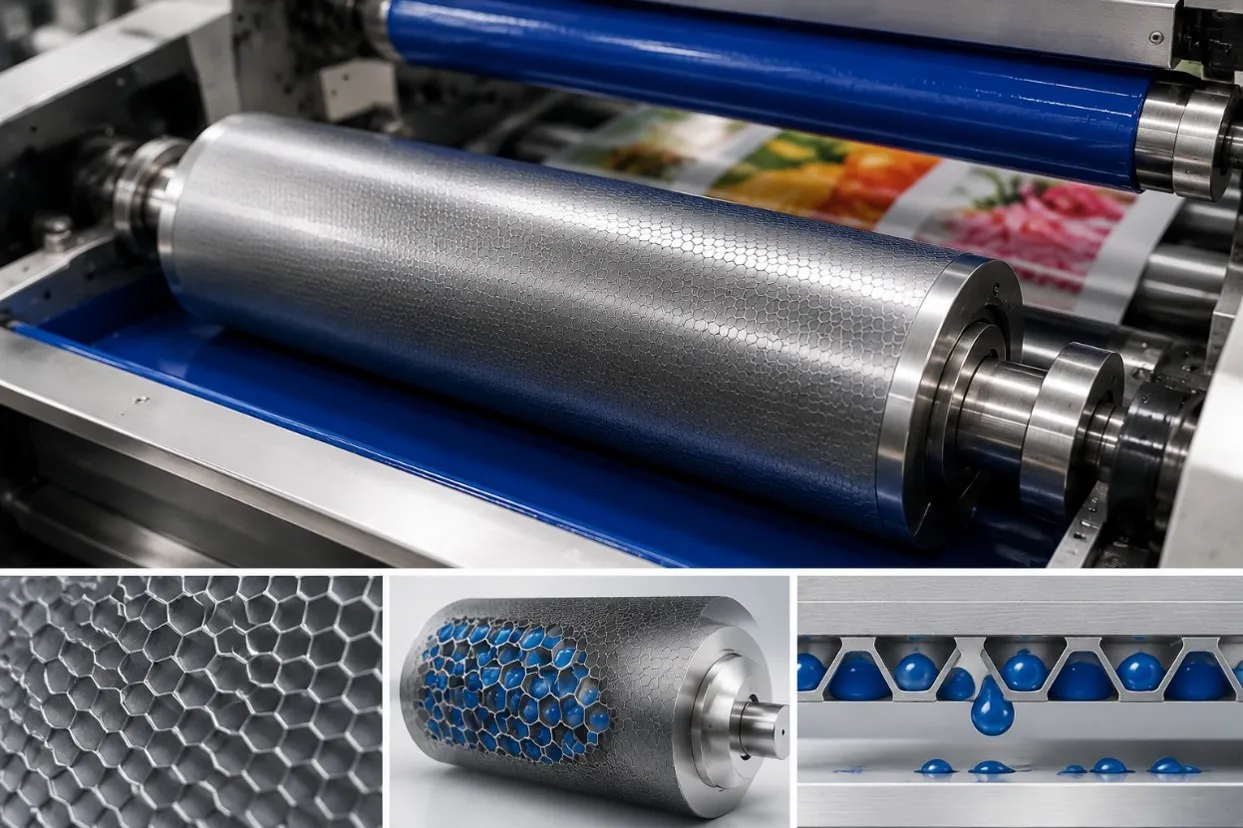
The anilox roller is one of the most important components in a flexographic printing press because it controls how much ink is delivered to the printing plate. Although it may look like a simple roller, its surface contains thousands of precisely engraved microscopic cells designed to carry and transfer a controlled volume of ink.
This metering function has a direct influence on color density, fine-detail reproduction, solid ink coverage, and overall print consistency. Choosing the correct anilox specification and keeping the roller clean are therefore essential for stable flexographic printing, whether the press is producing self-adhesive labels, paper packaging, films, or other flexible materials.
The Main Function of an Anilox Roller
In a typical flexographic ink system, ink is supplied to the surface of the anilox roller through an ink pan or chamber doctor blade system. The engraved cells fill with ink, while the doctor blade removes excess ink from the roller surface. This leaves a controlled quantity of ink inside the cells.
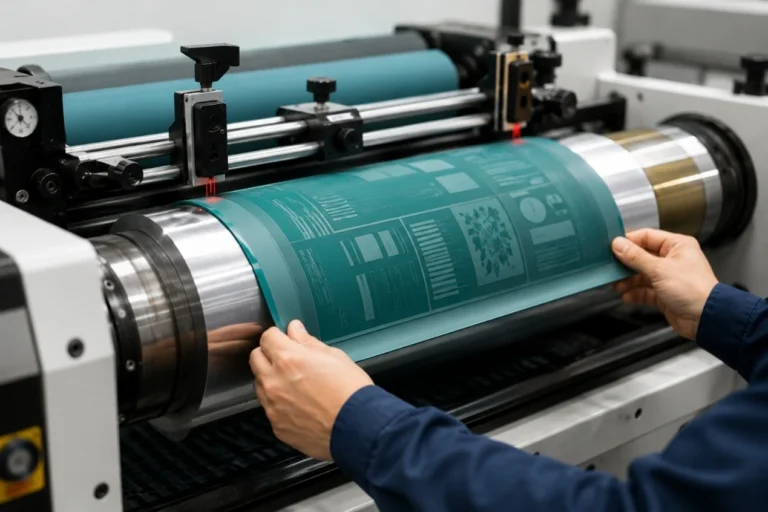
As the anilox rotates, it contacts the raised image areas of the flexographic printing plate and transfers the metered ink to the plate. The plate then transfers that image onto the substrate.
In simple terms, the anilox roller acts as the ink metering component between the ink supply and the printing plate. Its job is not simply to carry ink, but to deliver a predictable and repeatable amount of ink during production.
This is why two visually similar anilox rollers can produce very different printing results if their cell geometry, line screen, or cell volume is different.
Understanding Anilox Line Screen and Cell Volume
Two of the most important specifications when selecting an anilox roller are line screen and cell volume.
Line screen describes the number of engraved cells within a given distance and is commonly expressed as LPI (lines per inch) or lines per centimeter. A finer line screen generally uses smaller cells and is commonly associated with fine graphics, small text, screens, and detailed printing.
Cell volume describes how much ink the engraved cells can carry. Depending on the market and measurement system, it may be expressed in BCM or other volume units. Cell volume has a strong influence on the amount of ink available for transfer and therefore affects print density and coverage.
Line screen and cell volume should be considered together rather than independently. A higher LPI does not automatically mean better printing, and the finest available anilox is not necessarily the correct choice for every job. The appropriate specification depends on the plate, image, ink, substrate, and required ink film.
Fine Graphics and Solid Printing Need Different Ink Delivery
A job containing fine text, small barcodes, screens, and detailed images usually requires controlled ink transfer so that excessive ink does not fill fine image areas or increase dot gain. An anilox with a suitable fine engraving can help support this type of work.
Heavy solid coverage, coatings, whites, adhesives, or other applications requiring a larger ink film may need greater cell volume. Using an anilox that carries too little ink can produce weak solids, while excessive ink volume can contribute to dirty print, excessive dot gain, slow drying, or inconsistent image reproduction.
This is why anilox selection should start with the actual printing application rather than choosing one specification for every color and every job.
How the Doctor Blade and Anilox Work Together
The anilox roller cannot meter ink correctly without an effective ink metering system. In many modern flexographic presses, a chamber doctor blade system supplies ink to the anilox while the metering blade removes excess ink from its surface.
Correct blade contact allows the engraved cells to carry the intended ink volume while keeping the non-cell surface clean. Excessive doctor blade pressure can increase wear, while insufficient or unstable contact may interfere with consistent metering.
When troubleshooting ink transfer problems, the anilox and doctor blade should therefore be considered as part of the same system. Replacing or cleaning one component may not solve the problem if the actual cause lies elsewhere in the ink delivery process.
What Happens When Anilox Cells Become Blocked?
Over time, dried ink, coating residue, adhesive contamination, or other deposits can accumulate inside the engraved cells. A roller may appear reasonably clean on the surface while part of its effective cell volume has already been lost.
As the cells become blocked, the anilox carries less ink than intended. Operators may notice that a color becomes weaker, solid coverage deteriorates, or previously successful press settings no longer produce the same result.
A common mistake is to compensate by changing ink or increasing printing pressure. If blocked cells are the real cause, these adjustments may create additional problems without restoring the original ink transfer.
Regular inspection and appropriate anilox cleaning are therefore important for maintaining consistent print performance.
When Color Changes, Is the Anilox Always the Problem?
Not necessarily. Anilox condition is an important part of color consistency, but flexographic color can also change because of ink viscosity, temperature, doctor blade condition, printing pressure, plate condition, production speed, drying, or substrate variation.
The pattern of the problem can help narrow down the cause. If one printing unit gradually becomes lighter during production, checking ink condition, anilox cleanliness, and the doctor blade system is a reasonable starting point. If several colors change at the same time, web handling, speed, substrate, or other process-wide variables may deserve more attention.
Good troubleshooting means checking the complete printing process rather than assuming that every color problem requires a different anilox roller.
Choosing the Right Anilox Roller
There is no universal anilox specification that works best for every flexographic application. Selection should consider the required graphics, plate specification, ink type, substrate, desired color density, production speed, and drying capability.
A printer producing fine multi-color labels may use different anilox specifications from a press applying heavy white ink or printing large solid areas. Water-based, solvent-based, and UV inks may also require different considerations depending on the application.
For a new job, it is useful to discuss the required print result with the ink, plate, anilox, and machine suppliers when necessary. Production records from successful repeat jobs can also help operators select proven anilox specifications instead of starting from trial and error each time.
Anilox Cleaning and Maintenance Matter as Much as Selection
Even the correct anilox specification cannot provide consistent results if the cells are dirty or damaged. Routine cleaning should prevent ink from drying deeply inside the engraving, while periodic deeper cleaning may be required depending on ink type and production conditions.
Cleaning methods must be suitable for the roller surface and engraving. Aggressive or inappropriate cleaning can damage the anilox, so operators should follow the roller manufacturer’s recommended procedure.
The surface should also be protected during handling. Scratches, impacts, and scoring can permanently affect ink transfer. Monitoring roller condition and keeping records of cleaning, usage, and print performance can make it easier to identify gradual deterioration before it creates significant production waste.
The Anilox Is Part of a Complete Ink Transfer System
Stable flexographic printing depends on more than one component. Ink formulation and viscosity determine how the ink behaves; the doctor blade controls metering at the anilox surface; the anilox delivers a controlled ink volume; the plate transfers the image; and printing pressure, substrate condition, drying, and press stability influence the final result.
Understanding these relationships is more useful than treating the anilox roller as an isolated component. When the complete ink transfer system is correctly selected, maintained, and controlled, printers can achieve more consistent color, cleaner graphics, predictable ink coverage, and more repeatable production.
Final Thoughts
The main function of an anilox roller in flexographic printing is to meter and transfer a controlled volume of ink to the printing plate. Its line screen, cell volume, engraving condition, cleanliness, and interaction with the doctor blade all influence how effectively this happens.
Rather than simply choosing the highest line screen or adjusting pressure when print density changes, printers should match the anilox to the actual application and monitor the complete ink transfer process. Correct anilox selection and maintenance can help improve print consistency, reduce unnecessary adjustments, and maintain stable quality throughout longer production runs.
Looking to improve ink transfer and printing consistency in your flexo production? GGIN Machinery provides flexographic printing machines and anilox roller cleaning solutions for label and flexible packaging applications. If you are planning a new printing project, send us your substrate, printing width, number of colors, ink type, production speed, and application requirements, and we can help you evaluate a suitable equipment configuration.